


Kids Coloring Pages For Boys
4.646.00 Reviews
App Specs
- Version
- 5.0
- Updated On
- License
- Free
- Downloads
- 10,000,000+
- Developer
- Piggy Panda Inc
- Categories
- Educational
- Platform
- Android, iOS
Screenshots

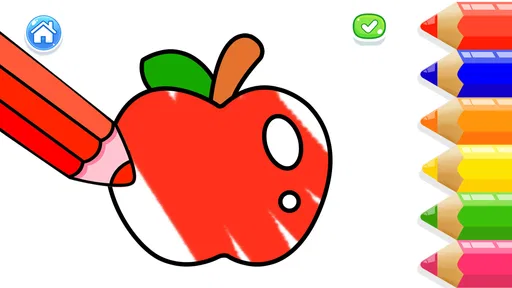


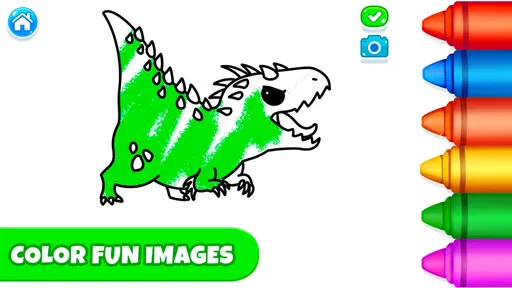
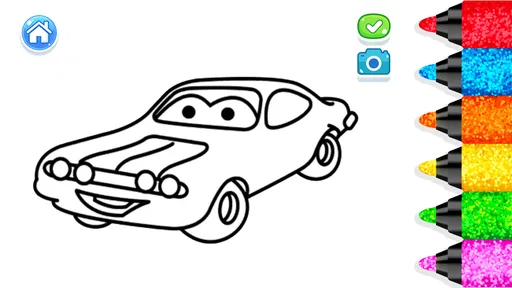
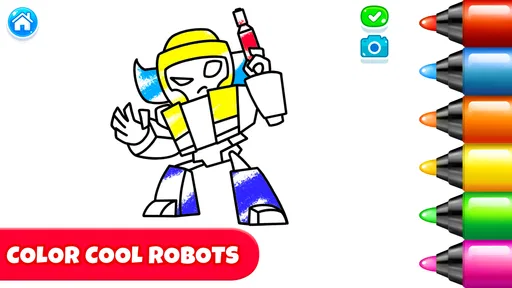
 Analysis by AppCompare
When I first opened Kids Coloring Pages For Boys, I wanted to know two simple things: could a child begin coloring without a long setup, and would the activity hold their attention beyond the first page? It is an educational coloring game from Piggy Panda Inc, aimed at children and rated Everyone. I found its appeal easiest to understand as a low-pressure creative activity rather than a full drawing course: a child chooses an illustration, experiments with color, and can make a finished picture without needing to learn a complicated set of controls.
For a first-time user, that straightforward goal is reassuring. I would introduce it when a child wants to draw but an adult needs a tidy, screen-based option for a short stretch of the day. The game is free to install, though it includes optional in-app purchases ranging from $1.99 to $59.99 per item, so I would check the purchase settings on the device before handing it over. That small bit of preparation helps keep the first session focused on coloring instead of an unexpected purchase prompt.
What to expect from a digital coloring book
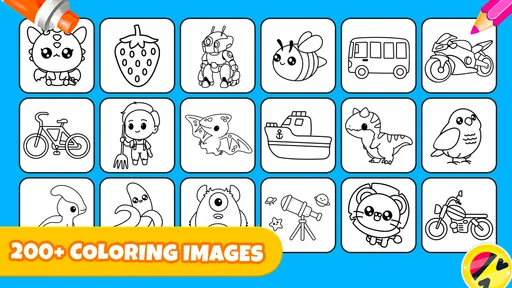
The experience centers on picking a page and filling it with color. The themes described in the original experience—dinosaurs, superheroes, cars, and robots—give children recognizable starting points, and that matters more than it may seem. A child who already has a favorite subject can settle into the activity quickly; a child who is less sure what to draw can choose a picture rather than face a blank canvas. I see that as the game’s most practical advantage over an open-ended drawing app.
It is also worth setting expectations: this is best suited to playful coloring, not to teaching formal art skills or producing highly controlled illustrations. A digital palette and fill tool can make it easy to try colors, but they do not replace the feel of paper, the resistance of crayons, or the practice involved in drawing shapes by hand. I would treat it as one useful creative option in a child’s routine, not as a substitute for physical art materials.
The game is free, and its average rating is 4.6 from around 17,000 ratings. It has been installed over 10 million times, which suggests it has reached many families, though popularity alone cannot tell you whether its style suits your child. The useful question is whether your child enjoys choosing from ready-made pictures and coloring within a guided activity. If they would rather invent every detail themselves, a blank-canvas drawing app or a real sketchbook may be a better fit.
Coloring Fun for Every Little Artist
First off, let’s talk about the variety. The Kids Coloring Pages For Boys app is chock-full of coloring pages that cater to every young boy's imagination. From dinosaurs and superheroes to cars and robots, it’s like a treasure trove of fun themes that keep the little ones engaged and excited. The app has done a fantastic job at curating a wide range of themes, ensuring that there’s something for every kid.
Easy to Navigate
One thing I absolutely love about this app is how user-friendly it is. You know how some apps can be a bit of a maze? Well, not this one. It’s designed with kids in mind, so the interface is simple and intuitive. Kids can easily swipe through different categories and pick their favorite coloring page without any adult assistance. It’s like handing them a digital coloring book that they can explore on their own.
Worth Reading Before You Choose

Baby Panda World Brings Quick Play to Modern Phones, but Its Game Library Feels Busy

ESPN’s Live Game View Makes Following Close Games Easier

QuizzLand Review: A Good Fit for Short Trivia Breaks, Not Every Player

Basketball Stars: Multiplayer Is Fast, but Can It Recover When Matches Go Wrong?

WEBTOON Turns Phone Updates Into a Better Reading Routine

Link to Windows Runs on Shared Habits, Not Social Feeds
Tools and Features
Now, let’s talk tools! The app provides a range of coloring tools that let kids go beyond the usual crayons and markers. There’s a magic brush for creating fun patterns, a paint bucket for quick fills, and a pencil for those who love to add intricate details. The color palette is rich and varied, offering countless shades to spark creativity. Plus, there’s an undo button for those inevitable coloring mishaps—because we all know how those go!
Making a first session go smoothly
My suggested first run is simple: let the child pick a familiar subject, demonstrate one coloring tool, and then let them take over. Starting with a large area and the paint bucket can produce a quick visible result; after that, the pencil gives a child who wants more control a reason to slow down and add detail. The undo button is useful as a learning aid, too. Instead of treating a stray mark as a failure, a child can try a choice, reverse it, and compare another color.
A small but useful trade-off is that quick fill tools can make a page feel finished before a child has spent much time with it. If you want the activity to last longer, encourage them to add small details with the pencil or make a pattern with the magic brush rather than simply filling every section. If the child prefers fast results, there is nothing wrong with that either; the point is to make the session enjoyable, not to turn coloring into a test.
Offline Access
Another awesome feature is that the app doesn’t require a constant internet connection. Once downloaded, it’s all systems go, even offline. This is a total game-changer for parents who need something to keep the kids entertained during long car rides or while waiting at appointments. No more scrambling for Wi-Fi hotspots!
For an everyday example, I would open it before leaving home, let a child choose a page, and then keep the device ready for a quiet wait at a clinic or during a trip. Offline access is especially helpful in places where reception is unreliable, but I would still try the game once before relying on it for an important stretch of downtime. That gives you a chance to confirm the child knows how to return to the page and use the controls, rather than discovering a navigation hiccup when everyone is already tired.
Safe and Fun
Safety is always a priority when it comes to kids' apps, and I’m happy to report that Kids Coloring Pages For Boys ticks all the right boxes. There are no ads popping up every few seconds, and it doesn’t have any in-app purchases that kids might accidentally tap on. It’s a safe space for kids to enjoy their coloring adventures without any interruptions.
One detail parents should keep in mind is that the game does have in-app purchases, with items priced from $1.99 to $59.99. I would not leave a young child to explore purchase screens unsupervised simply because the activity itself is child-friendly. Before the first session, check the purchase controls available on your device and explain that buying anything requires an adult. That is a more reliable approach than assuming a child-facing game has no paid options.
The Everyone age rating makes the intended audience clear, but an age label is not a substitute for an adult’s judgment about an individual child. Some children are comfortable exploring an app on their own; others need help with the device, staying on task, or understanding which buttons change the picture. I would use the first session to see how your child handles page selection and the coloring tools, then decide how much independence feels right.
Sharing Creations
Once the little artists are done with their masterpieces, the app makes it easy to share their creations. Whether you want to save their artwork to your device or share it with family and friends, it’s just a tap away. It’s a great way to celebrate their creativity and maybe even start a digital art gallery!
I would make saving or sharing a natural endpoint rather than the main reason to color. Asking a child to choose one finished picture to show a relative can give the activity a satisfying close, while keeping the focus on their choices: which colors they picked, what they changed, and which part they like best. For family use, that can turn a brief quiet activity into a small conversation without requiring the child to create a perfect-looking image.
Who will enjoy it, and when another option is better
I think this game is a good match for children who like familiar subjects, enjoy filling in pictures, and benefit from a clear starting point. It can also suit a parent looking for a ready-to-go activity during a short wait, especially when bringing crayons and paper would be awkward. The combination of a page to choose, several tools to try, and undo for experimentation makes it approachable for a child who is still learning how to use a touchscreen creatively.
I would skip it for a child who wants to build a picture entirely from scratch, needs advanced drawing controls, or gets more satisfaction from physical materials. A traditional coloring book avoids screen time and offers a different tactile experience; a general drawing app may be more flexible for original sketches. Compared with those alternatives, this game’s strength is its guided page-based activity, while its limitation is that the child works from prepared illustrations rather than an empty sheet.
The game’s current version is 5.0, and it requires Android 8.0 or later. Those details are worth checking before installation if you are setting it up on an older device. On a compatible device, I would begin with one short session, watch which subject and tool the child gravitates toward, and then decide whether it earns a regular place in your collection of quiet activities.
A practical next step
After a child has completed one page, I would invite them to try a second picture with a different approach: use the pencil for more deliberate marks, or test the magic brush where a plain fill feels too simple. This gives the game a little room to grow without adding complicated instructions. If the child is ready to stop, save or share the picture and end there; a short, positive session is better than pushing them to keep coloring.
In a nutshell, Kids Coloring Pages For Boys is a delightful app that combines fun, creativity, and ease of use all in one package. It’s perfect for keeping the kids occupied and letting them express their artistic side. Whether you’re looking to kill some time or nurture a budding artist, this app is definitely worth a download. Happy coloring!
Pros
- Wide variety of themes and designs.
- User-friendly interface for young users.
- Offline mode available for travel.
- Encourages creativity and fine motor skills.
- No in-app purchases or ads.
Cons
- Limited color palette options.
- Some designs are too complex for toddlers.
- No option to save progress in-app.
- Requires frequent updates for new content.
- Occasional app crashes reported.
FAQs for Kids Coloring Pages For Boys
What age group is Kids Coloring Pages For Boys suitable for?
Kids Coloring Pages For Boys is designed for children aged 4 to 10. The app provides age-appropriate coloring pages that cater to different skill levels, ensuring an enjoyable and educational experience for young users. However, younger or older children may also find it entertaining, depending on their interest in coloring.
Is Kids Coloring Pages For Boys free to download?
The app is free to download and offers a selection of coloring pages at no cost. However, to access the full range of features, such as additional coloring packs or tools, there might be in-app purchases. These options allow you to enhance the app's functionality according to your child's interests.
Does Kids Coloring Pages For Boys require an internet connection?
No, Kids Coloring Pages For Boys does not require an internet connection for most of its features. Once downloaded, children can enjoy coloring offline. However, an internet connection may be needed for initial downloads of additional content or updates, ensuring the app stays fresh and engaging.
Can I track my child’s progress in Kids Coloring Pages For Boys?
Yes, the app includes features that allow parents to track their child's progress. You can view completed pages and monitor which coloring tools your child frequently uses. This feature helps parents understand their child's preferences and skill development, making it an excellent tool for guided learning.
Are there any safety concerns with Kids Coloring Pages For Boys?
Kids Coloring Pages For Boys is designed with child safety in mind. The app includes parental controls to manage in-app purchases and settings. Additionally, it does not include any advertisements or external links that could lead children away from the app, ensuring a safe and focused environment.


